web design for real estate, real estate website, lead generation, property website UX, buyers agency website
Web Design for Real Estate: Converting Listings Into Booked
by raffiné studio

A polished property website can still lose the enquiry before a prospective buyer, seller or investor reaches the contact form. The listings look sharp, the brand colours are consistent, and the homepage has all the expected language. Yet the visitor returns to a portal, checks another agency, or leaves because the site hasn't made the next step obvious.
That's the commercial problem with weak web design for real estate. The website behaves like a brochure when it needs to operate as a lead-capture and booking system. It must compete with portal-shaped browsing habits, answer suburb and property questions quickly, support mobile decision-making, and move qualified visitors into inspections, valuation conversations or discovery calls.
In Australia, this isn't a niche audience problem. Ipsos iris data reported that 15.1 million Australians aged 14 and over, or 68.2% of the online population, visited a home and property website or app in January 2026, spending about 43.2 minutes on home and property content that month, as reported in Semrush's Australian real estate website snapshot. Your website is competing inside one of the country's most concentrated and time-intensive online research categories.
Why Most Real Estate Websites Fail at Lead Capture
Most property websites fail for a simple reason: they're designed around what the agency wants to display, not what a high-intent visitor needs to decide.
A homepage dominated by an agent's portrait, a vague statement about service and a generic “Contact Us” button may look professional. It doesn't necessarily help a buyer inspect a property, help a seller understand the agency's process, or help a developer assess whether a project suits their needs. The visitor still has to work out where to go, what to do and why contacting the business is worth the effort.
That friction matters because Australian property discovery is already concentrated on large platforms. By January 2026, realestate.com.au attracted 42.1 million monthly visits, Domain drew 10.67 million, and Property.com.au reached 5.52 million. Those platforms have trained users to expect searchable inventory, obvious filters, strong status signals and repeated browsing journeys. A local website that offers only a gallery and an about page feels like a step backwards.
The brochure mindset creates commercial leakage
A brochure site treats a listing as an endpoint. A conversion-focused site treats it as an opportunity to understand intent.
Someone viewing a listing might want to:
Book an inspection: The page should make available actions visible without forcing the visitor to find a separate contact page.
Ask a property question: The form should let the person identify the listing and submit a useful query.
Request comparable opportunities: Buyers often need an agent to understand their broader requirements, not just one address.
Discuss selling or buying strategy: Sellers, investors and buyers agency clients need a different path from a casual listing browser.
The design should reflect those differences. A single contact form for every audience creates unnecessary ambiguity, while a page with too many competing buttons dilutes attention.
Commercial rule: Every high-intent page should make the next useful action clearer than the option to return to a portal.
The same principle applies beyond property. A lead-generation website for insurance businesses also has to turn attention into a structured enquiry, rather than treating traffic as the result. Property businesses face an added challenge because portals often own the first discovery moment. Your site must earn the direct relationship after that initial interest.
Measure pipeline, not page decoration
A redesign shouldn't be judged by whether the homepage feels more modern. Judge it by whether the system makes it easier to track:
enquiries by listing, suburb and campaign
inspection or consultation bookings
lead quality and stated intent
response time and follow-up status
the pages and sources that influence a conversation
The visual layer still matters. Trust, clarity and brand positioning affect whether people stay. But design becomes commercially useful when it supports a measurable path from property interest to qualified opportunity.
Designing for Australian Property Search Behaviour
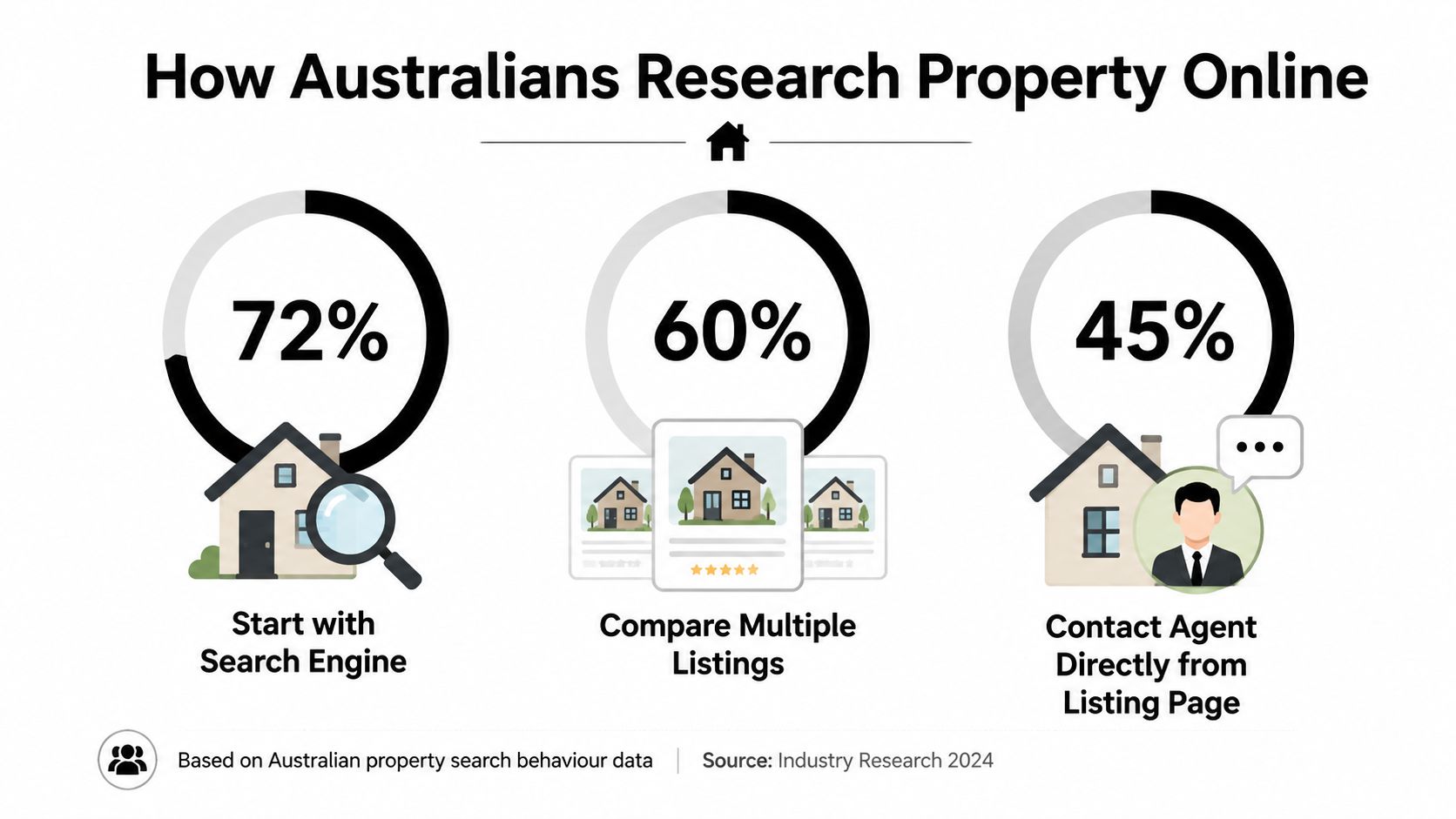
Australian property users arrive with portal habits already formed. They scan cards, narrow results, compare prices and property types, open several listings, then return to search results. An agency website should respect those behaviours without becoming a low-budget copy of a portal. Its job is to turn familiar search activity into a direct enquiry or booking with the agency.
The audience is large and highly active. In January 2026, Ipsos iris reported that 15.1 million Australians aged 14 and over visited a home and property website or app, representing 68.2% of the online population, with about 43.2 minutes spent on home and property content during the month, according to the reported Australian property audience data.
Build the information architecture around intent
The primary navigation should let visitors choose a relevant path immediately. Buyers, sellers, investors and developers ask different questions, so sending every visitor through one generic menu wastes attention and weakens lead quality.
Useful top-level pathways include:
Buy: Search listings, explore suburbs and understand the buying process.
Sell: Request an appraisal, review the agency's approach and see relevant local expertise.
Buyers agency: Explain search, negotiation and acquisition support, with a direct consultation path.
Projects: Keep development inventory separate from established homes, with project-specific enquiry journeys.
Insights: Publish suburb, market and buying content that supports organic search and AI-led discovery.
Search pages need plain labels and controls that match the actual inventory. Price, property type, location, bedrooms, status and relevant project attributes should be easy to find, especially on a phone. Filters that exist only because a template includes them add clutter without helping visitors choose.
Property cards should earn the next click by answering the first practical questions. Show the address or suburb, price guide, property type, key attributes, status and a strong image. Keep those facts visible instead of hiding them beneath animation or requiring visitors to open every card to understand the result.
Treat listing pages as conversion environments
A listing detail page captures the strongest immediate intent on the site. Photography attracts attention, but property facts, location context, gallery details, inspection information and enquiry actions determine whether that attention becomes a lead.
A high-performing listing page should include:
A visible primary action: Match the wording to the visitor's situation, such as “Book an inspection”, “Ask about this property” or “Request similar listings”.
A listing-aware form: Pass the property reference into the enquiry automatically, so visitors do not repeat information.
Agent context: Show who will respond and why that person is connected to the property.
Useful supporting content: Include floor plans, key features, local context and clear next steps where available.
Mobile-first interaction: Use generous tap targets, accessible phone actions and a form short enough to complete without frustration.
Portal-dominated search also changes what suburb pages must accomplish. A page that repeats a suburb name will not establish useful local relevance. Build around practical questions, including the types of property available, the agency's process in that area, buyer considerations and the next action for someone seeking advice.
The market is concentrated around major property platforms. Semrush's recent monthly view recorded 42,103,512 visits for realestate.com.au, 10,670,564 for Domain and 5,520,146 for Property.com.au, as reported by OnTheHouse's referenced market summary. An agency site should therefore borrow familiar search mechanics, then compete on what portals cannot provide as effectively: clear local expertise, a named adviser and a faster path to a useful conversation. That positioning also gives the site a stronger role as search shifts toward AI-generated property discovery.
Building Enquiry Paths and Booking Flows That Convert
A property website should give each audience a route that matches its decision. Buyers, sellers, mortgage clients and development prospects don't have the same questions, urgency or willingness to complete a form.
Start by mapping the actions your business wants. For a buyer's agency, that might be a booked discovery call. For a selling agency, it may be an appraisal request. For a project marketer, it could be a registration that captures budget, timing and property preferences. A mortgage broker may need a consultation booking supported by enough information to prepare for the conversation.
Match the call to action to the visitor's intent
“Contact us” is a weak default because it makes the visitor decide what happens next. A stronger call to action tells them what they'll receive or accomplish.
Consider the difference:
Listing visitor: “Book an inspection” or “Ask about this listing”.
Seller researching agencies: “Request a property appraisal”.
Buyer seeking representation: “Book a buyer strategy call”.
Project prospect: “Register for project updates”.
Finance lead: “Book a borrowing conversation”.
Place the primary action near the relevant decision point. On a listing page, it belongs beside the key property information, not only in the footer. On a service page, repeat it after the explanation of the process, when the visitor has enough context to act.
A booking flow should also protect lead quality. A short initial form can ask for name, contact details, location, property type and intent. A longer qualification step may work after the visitor has selected a consultation time. Asking every question before showing any path to a booking creates avoidable drop-off.
Use forms to qualify without creating resistance
The form should collect information the team will use. If a field doesn't affect routing, preparation or follow-up, remove it from the first interaction.
Useful design choices include:
Progressive qualification: Ask essential questions first, then gather detail after commitment.
Context preservation: Carry the listing, suburb, campaign or social source into the submission.
Clear expectations: Explain what happens after submission, who will respond and what the conversation covers.
Alternative contact options: Offer tap-to-call or direct booking for visitors who don't want to write a long message.
Confirmation with direction: Send the visitor to a confirmation page that confirms the next step rather than ending at a generic success message.
The handoff matters as much as the form. Connect submissions to a CRM, booking platform and follow-up sequence so the lead doesn't sit in an inbox. A buyer who submits a request while actively comparing properties may be receptive now and unavailable later. Speed and relevance should be designed into the workflow, not left to individual memory.
Practical rule: If a lead can submit information without creating a clear task for a team member, the form is collecting data rather than creating a process.
A useful set of automated system examples can help teams think beyond the form itself. The website, CRM, calendar and email sequence should share the same intent labels, so the business knows whether it's handling a listing question, an appraisal request or a strategy conversation.
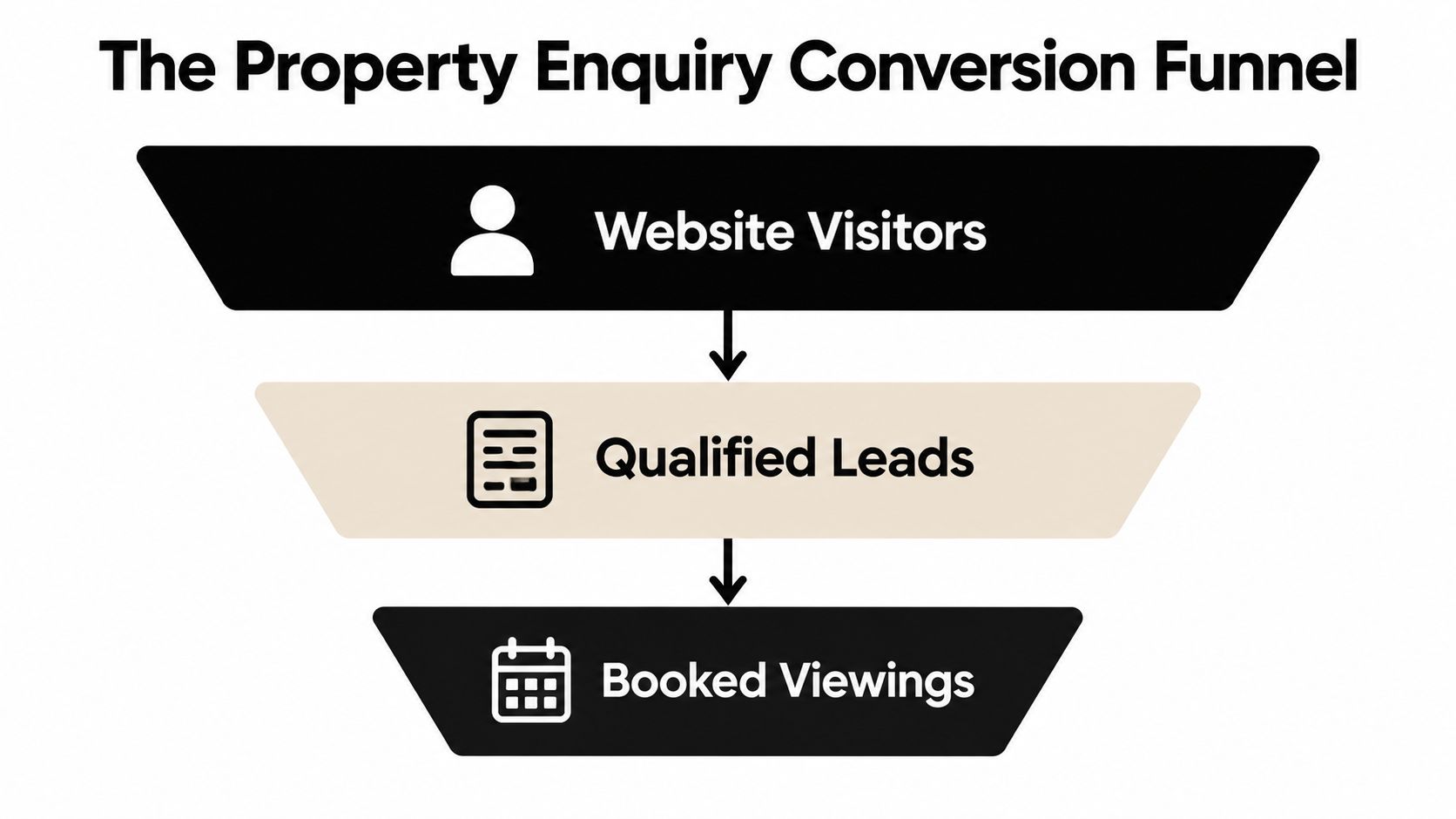
Here's a booking flow worth testing:
A visitor lands on a listing, suburb page or social landing page.
The page presents one primary intent-matched action.
The form captures context and qualifies the enquiry lightly.
The visitor receives an immediate confirmation or booking option.
The CRM assigns the lead and triggers relevant follow-up.
The team reviews the source, intent and outcome.
The following video provides a visual reference for thinking about conversion paths and property enquiries.
The commercial test is not whether the site receives submissions. It's whether the business can distinguish curiosity from a genuine opportunity, respond appropriately and turn the interaction into a useful conversation.
Connecting Local SEO, AI Search and Social Traffic
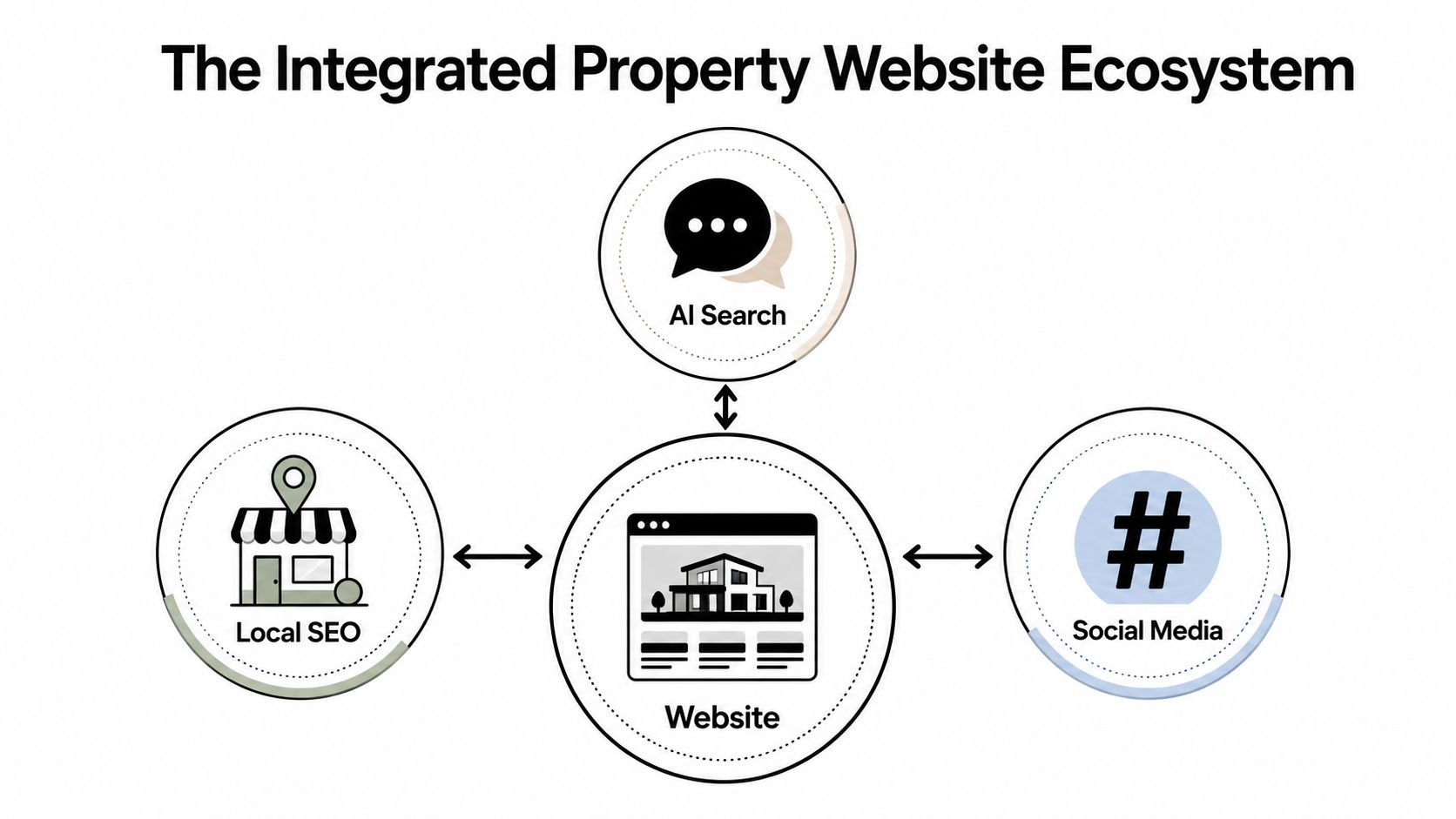
A property website shouldn't treat Google, AI assistants and social media as separate publishing destinations. They should all lead into a site architecture that answers local questions, explains the agency's expertise and gives visitors a clear action.
Local SEO starts with useful location structure. Suburb and service pages should explain the agency's relevance to that area rather than swap place names into a generic template. Include practical information, local buying or selling considerations, relevant listings, process details and internal links that help users continue their research.
AI search creates a further reason to structure content around questions. Realestate.com.au has expanded conversational AI search across its web and app, and coverage of Areal's AI-powered search launch describes the market's movement towards natural-language property discovery. A website that only exposes rigid filters may miss opportunities to answer questions such as which suburbs suit a particular brief, what a buyer should consider before inspecting, or how a seller can prepare for an appraisal.
Create content that can answer specific property questions
The strongest pages make the business's knowledge easy to interpret. That means using descriptive headings, direct answers, clear entity references and structured page relationships.
For example, a buyers agency could build connected content around:
Suburb selection: Who the area may suit and which practical factors deserve attention.
Buying process: What happens during search, due diligence and negotiation.
Property evaluation: How the team assesses a listing beyond its presentation.
Local expertise: The people, services and market context relevant to the area.
Conversion paths: A clear route from an answer to a strategy call.
This is not a reason to publish generic articles at volume. Content should support a real decision and lead naturally to a relevant service or booking action. Generative Engine Optimisation and its role in search visibility-matters) is relevant here because clear, well-structured expertise gives search systems more useful material to interpret.
Make social traffic land somewhere purposeful
Social posts often create interest in a property, suburb or point of view. The mistake is sending every click to the homepage. A post about a new listing should land on the listing or a focused property page. A short video about buying strategy should lead to a related guide, service page or booking route.
Use campaign-specific landing pages when the audience needs a different message from organic search visitors. Keep the source and topic visible in the page copy, and ensure the form or booking action continues the promise made in the post.
Strategic view: Visibility creates opportunities. The website decides whether those opportunities become identifiable conversations.
The website should also feed the wider system. Listing updates can support social content, suburb insights can support local search, and recurring buyer questions can become both useful pages and booking prompts. That loop creates consistency across channels without forcing every audience through an identical journey.
Brochure Sites vs Conversion-Focused Property Websites
A polished agency website can look impressive while producing very few conversations. If the business only needs a basic online presence, a brochure site may meet that limited requirement. It becomes a poor investment when the agency expects qualified enquiries, booked appointments, organic visibility or dependable follow-up from a structure built mainly to display information.
The commercial difference is straightforward. A brochure site presents the business. A conversion-focused property website guides a defined visitor towards a relevant action, records useful intent and gives the team a workable next step.
Capability | Brochure Site | Conversion-Focused Website |
|---|---|---|
Primary purpose | Presents the brand and listings | Moves defined audiences towards enquiries and bookings |
Homepage | General introduction with broad navigation | Clear positioning, audience pathways and a primary action |
Listing experience | Displays photos and basic details | Combines property information with context-specific enquiry actions |
Search | Basic or template-driven browsing | Intent-led search, useful filters and logical suburb pathways |
Calls to action | Generic “Contact Us” prompts | Actions matched to buying, selling, finance or project intent |
Forms | One form for most visitors | Short, contextual forms that capture useful qualification data |
Booking | Manual email or phone exchange | Integrated scheduling for inspections, appraisals or discovery calls |
CRM readiness | Enquiries arrive without clear routing | Submissions create defined tasks, ownership and follow-up sequences |
SEO | Pages exist but may lack local depth | Structured service, suburb, listing and insight content |
AI search visibility | Content is difficult to interpret or cite | Clear answers, headings and relationships support semantic discovery |
Measurement | Pageviews and vague contact totals | Source, intent, booking and qualified pipeline reporting |
The hidden cost of a visually polished brochure
The obvious cost is missed conversion. The less visible cost is lost commercial learning.
When every enquiry uses the same form, the agency cannot reliably distinguish sellers, buyers, investors and people asking about an unavailable listing. When social traffic goes to the homepage, the team loses a clear connection between the campaign message and the resulting opportunity. When the website does not connect with a CRM, follow-up depends on someone noticing an email and remembering to act.
Portal concentration increases the pressure on the owned website. REA Media Centre states that realestate.com.au receives 12.5 million Australians each month on average, and that 3 in 4 minutes spent searching for residential property online is spent on realestate.com.au, as reported in this summary of the platform's online property reach. An agency website will not replace a portal. Its job is to give interested visitors a clear reason to leave platform browsing and begin a direct relationship.
The website therefore needs to compete on the part of the journey portals do not own. It should explain the agency's local expertise, make the next action obvious and capture context that a generic contact form misses. A visitor comparing properties may need an inspection booking. A seller researching an appraisal needs a different route. Treating both as the same user wastes intent.
A conversion-focused build demands more planning because content, interaction, data and internal handling must work together. That investment protects high-intent traffic from disappearing into a vague inbox or an attractive but inactive page. A cheaper brochure can become the more expensive choice when it sends ready prospects elsewhere.
Turning Your Real Estate Website Into a Growth System
Treat the website as the centre of a connected commercial system. Listings attract attention, local content captures research intent, social posts create demand, booking flows identify serious prospects, and CRM automation gives the team a consistent way to follow up.
Prioritise changes in this order:
Audit current lead capture points: Review listing pages, suburb pages, forms, phone actions and booking routes. Identify where intent disappears.
Design for conversion, not just aesthetics: Give buyers, sellers, investors and project prospects distinct paths with clear next actions.
Integrate CRM and email tools: Send each enquiry to the right owner with useful context, source information and task instructions.
Set up automated follow-ups: Confirm submissions, provide relevant information and prompt the next action without relying on manual reminders.
Measure and iterate monthly: Review enquiries, booked conversations, lead quality, page performance and follow-up outcomes.

The order matters. Redesigning the homepage before fixing the listing journey may improve presentation without improving pipeline. Publishing suburb content before deciding what action those visitors should take can create visibility without commercial value. Adding automation before clarifying lead ownership can move confusion into a faster system.
For buyers agencies, brokers and professional property firms, the right project may involve a full redesign, a focused funnel rebuild or a set of improvements to the existing stack. Raffine Studio works across conversion-focused website design, funnel architecture, SEO, AI search visibility, booking integration and CRM follow-up, with the work centred on turning qualified traffic into identifiable conversations.
Start with a practical audit of your real estate website. If you want an independent view of where listing traffic, local search and booking intent are leaking, visit Raffine Studio to discuss a website and funnel system built around qualified enquiries and booked calls.