graphic designer website design, portfolio website, web design conversion, designer SEO, AI search visibility
Graphic Designer Website Design That Books Clients
by raffiné studio

You've probably seen the same pattern: a designer site that looks polished, loads a beautiful hero, and still does almost nothing to bring in booked work. The portfolio is tidy, the type is well spaced, the colour palette feels considered, yet the contact page is buried, the call to action is vague, and mobile visitors have to hunt for the next step.
That's the core problem with graphic designer website design. The site isn't just a gallery, it's a decision path for people who are already online and already comparing you against other studios or freelancers. In Australia, that matters even more because by 2023, 94.4% of Australians aged 15+ were internet users, up from 90.2% in 2021, and 37% were classified as highly digitally included, which means fast, scannable, mobile-first journeys are now the baseline expectation, not a nice extra Figma web design statistics.
If the first screen doesn't communicate value, proof, and the next step immediately, the visitor leaves with a good impression and no enquiry. That's not a design win. It's a missed lead.
Why Graphic Designer Website Design Is a Lead Generation Problem First
Most designers start with layout, type, and colour. That feels natural, because those are the tools they know best. The mistake is treating the website like a digital mood board when its actual job is to move a visitor from interest to enquiry.
In Australia, this shift is especially important because the market is already digitally reachable at scale. The bigger challenge isn't finding an online audience, it's making the site instantly clear to that audience. Graphic designer website design has to answer one question fast, what should this person do next?
Design decisions should serve the enquiry path
A homepage that leads with clever animation, a long intro, or a scattered grid of projects usually creates hesitation. A homepage that leads with one offer, one clear proof point, and one primary action gives the visitor a clean next step. That's why I evaluate every visual choice against booked enquiries, not taste.
Practical rule: if a design element doesn't help someone understand what you do, trust you, or contact you, it belongs lower on the page or not at all.
The ABS figures on the Australian creative labour market reinforce the point. Around 43,600 people were employed as graphic and web designers, and illustrators in May 2024, with another 19,200 technicians and support workers in the same occupation group ABS graphic design statistics. In a crowded field, the site can't rely on visual polish alone to differentiate the business.
Why the first screen does most of the work
The first screen is where a visitor decides whether to scroll, click, or bounce. On a designer site, that screen should show the offer, a form of proof, and the action in one glance. The more decorative the layout becomes at that point, the easier it is for the enquiry path to get buried.
Lead generation and visual design stop being separate disciplines. The most effective sites don't ask the visitor to admire the work first and think later. They guide the visitor toward booking, then use the portfolio to justify that decision.
Planning the Site Before You Touch the Canvas
A site that books enquiries starts with structure, not polish. Before any hero mockup or colour choice, I lock in four things, the primary conversion goal, the sitemap, the wireframes, and the actual content. If those four are vague, the design work turns into expensive decoration that looks finished but does little.

Start with one action, not three
A designer site cannot try to win everything at once. If the home page asks for bookings, enquiries, downloads, and newsletter signups at the same time, the visitor has to decide before they understand the offer. That usually slows them down or sends them away.
Pick one primary conversion goal and make every core page support it. For many studios, that means the home page commits to one main service or one enquiry type, while the rest of the site supports that path. Multiple services can still exist in the navigation, but the homepage needs a clear lead route. That makes the copy easier to write and the layout easier to shape around a real business outcome.
Build a tight sitemap and write before styling
Keep the main navigation lean. Adobe web design best practices recommends keeping primary navigation under seven main links to reduce choice overload and improve scanability Adobe web design best practices. That matches what works on service sites, where too many top-level options slow people down instead of helping them choose.
A simple sitemap does the job well:
Home: one offer, one proof point, one primary CTA.
Services: a page that explains the work in plain language.
Work or Case Studies: evidence that supports the promise.
About: credibility, positioning, and fit.
Contact or Book: one clean path to enquiry.
Wireframe each template before you touch the visual details. A low-fidelity layout shows where the headline, proof, CTA, and supporting blocks belong, and it stops you from polishing a structure that does not convert. It also makes it obvious where the page is trying to do too much.
Content still comes last in the planning sequence, but it needs to be written before styling begins. Draft the headlines, subheads, and body copy in plain language first. Once the words are clear, the design choices become much easier to judge.
Building a Mobile-First Layout That Reads in Three Seconds
A designer site can look refined on a desktop and still fail where enquiries happen, on a phone. The usual problem is simple. The layout gets treated like a gallery, then the mobile view turns into a cramped page that asks too much of the visitor before they can decide whether to keep going.
Start with the smallest screen first. That forces the offer, proof, and next step to sit in the right order, instead of being squeezed into the page after the layout has already been styled. It also makes the larger breakpoints easier to build, because the core structure is already doing the work.
Treat the hero as a decision block
The hero section needs to answer three questions straight away. What do you do, why should the visitor trust you, and what should they do next. If the answer takes a scroll to appear, the page has already lost momentum.
Body text should stay at least 16px, and the main navigation should stay under seven links. Those choices are practical, not decorative. They keep the page readable on a small screen and reduce the friction that builds when a service site tries to offer too many exits at once. On mobile, that clarity matters more than visual flourishes.
Use spacing and hierarchy to make scanning easy
A responsive grid keeps the page coherent across breakpoints, but spacing does a lot of the heavy lifting. When every block uses a different rhythm, the user has to work harder to work out what matters and what can wait.
Short headings, clear subheads, and predictable spacing help the page read quickly. The visitor should be able to recognise the offer, catch the proof, and spot the enquiry path without hunting through the layout. That is the difference between a site that feels polished and one that gets used.
Good mobile pages feel obvious. The user should not have to decode the page. They should see the offer, register the proof, and tap the next step without friction.
A one-screen path usually works better than a dense, image-heavy layout. It gives the visitor enough context to keep moving, while keeping the inquiry route intact on mobile. That is where mobile-first layout stops being a visual exercise and starts doing real lead-generation work.
For a practical example of how structure and search thinking can be aligned during a redesign, see this SEO-focused redesign guide.
Designing for Google and AI Search at the Same Time
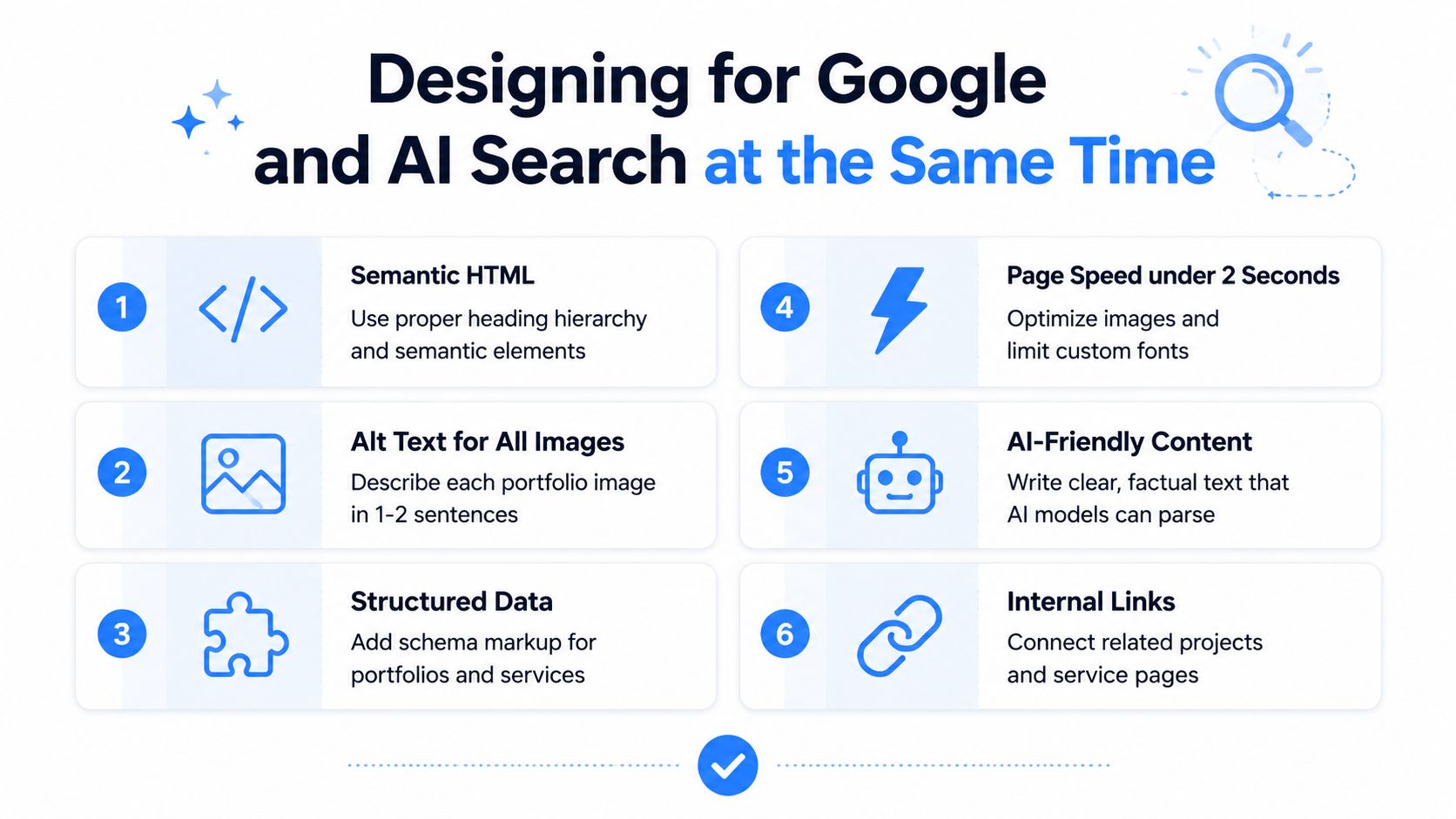
A beautiful site that can't be understood by search systems is incomplete. Google still matters, and so does the new layer of AI-assisted discovery that reads and summarises pages for users. The content structure that helps one often helps the other.
Existing coverage on designer sites often stops at portfolio aesthetics, while the harder question is how to structure pages so they're machine-readable, locally relevant, and connected to booking flows that work for both Google and AI-assisted discovery portfolio structure and visibility. That's the work now, not just making the work look good.
Structure the page so machines can read it
The basics still matter. Use a clean heading hierarchy, descriptive page titles, clear meta descriptions, alt text on every image, and internal links that connect services to related work. Those elements help both humans and crawlers understand what the page is about.
If you want a deeper example of how technical and content changes line up with search, see this SEO-focused redesign guide. The main idea is simple, content that is easy for a person to scan is usually easier for a machine to summarise.
Write pages that answer real questions
AI systems do better with plain, factual language than with vague brand poetry. A services page that explains the problem, the process, the deliverables, and the next step gives the model something useful to parse. A portfolio page with short project context, location relevance, and a clear service label is also much more discoverable than a gallery of unlabeled images.
Location mentions matter when they're genuine. So do FAQ blocks, case studies, and internal links between related pages. The site becomes easier to use, easier to summarise, and easier to trust.
For a designer who wants to balance visibility with usability, this isn't about becoming an SEO technician. It's about building pages that carry meaning in the open, not hiding the meaning inside the artwork.
Wiring the Booking Path So Enquiries Do Not Leak
A designer site can look polished and still leak enquiries at every step. If the booking path is unclear, visitors drift off before they ever send a message, fill out a form, or choose a time to talk.
For Australian visitors arriving on mobile and from social, the first screen has to show value, proof, and the next step straight away, because decorative navigation does not close leads ABP web design basics for graphic designers. A CTA needs to sit high on the page and stay easy to find as people scroll, especially when the site is being skimmed with one thumb.
Make the action obvious and the form short
A strong CTA tells people exactly what happens next. Book a call works better than vague wording like “Get in touch” because it sets a clear expectation. Put that action in the hero, repeat it after proof blocks, and place it again near the footer so the user never has to hunt for it.
The form itself should ask only for what you need to respond well. If it feels like a questionnaire, people drop out. If it feels like a short handoff into a conversation, they finish it. That trade-off matters on mobile, where every extra field creates one more reason to stop.
Automate the handoff so leads don't sit idle
A booking flow should route into a system, not stop in a personal inbox. Email notifications, CRM handoff, and an immediate confirmation page help the enquiry feel real to the visitor. That matters for service businesses where response time often decides whether the lead stays warm.
A useful reference point here is branding and web design for designer businesses. The same thinking applies to enquiry paths, the site has to carry the brand, the offer, and the next action without making the visitor work to connect the dots. If the page is strong visually but the booking path is loose, enquiries still leak.
The best booking flows feel boring in the right way. They're obvious, fast, and hard to break on mobile.
If the site still makes people hunt for the contact page, the design is working against revenue. A cleaner booking path does more for booked enquiries than another round of visual polish.
A Realistic Before and After for a Designer Site Rebuild
A freelance designer site in Sydney often starts the same way, with a strong visual portfolio, a buried contact link, and no clear offer. The work looks good, but the page doesn't help the visitor decide. The rebuild usually starts by stripping out anything that doesn't move people toward booking.
What changes first
The old home page usually has a dozen competing signals, multiple project thumbnails, a long intro, and contact details hidden in the footer. The rebuilt version usually does less, not more. It leads with one offer, adds one strong case study, and puts a booking path where people can see it.
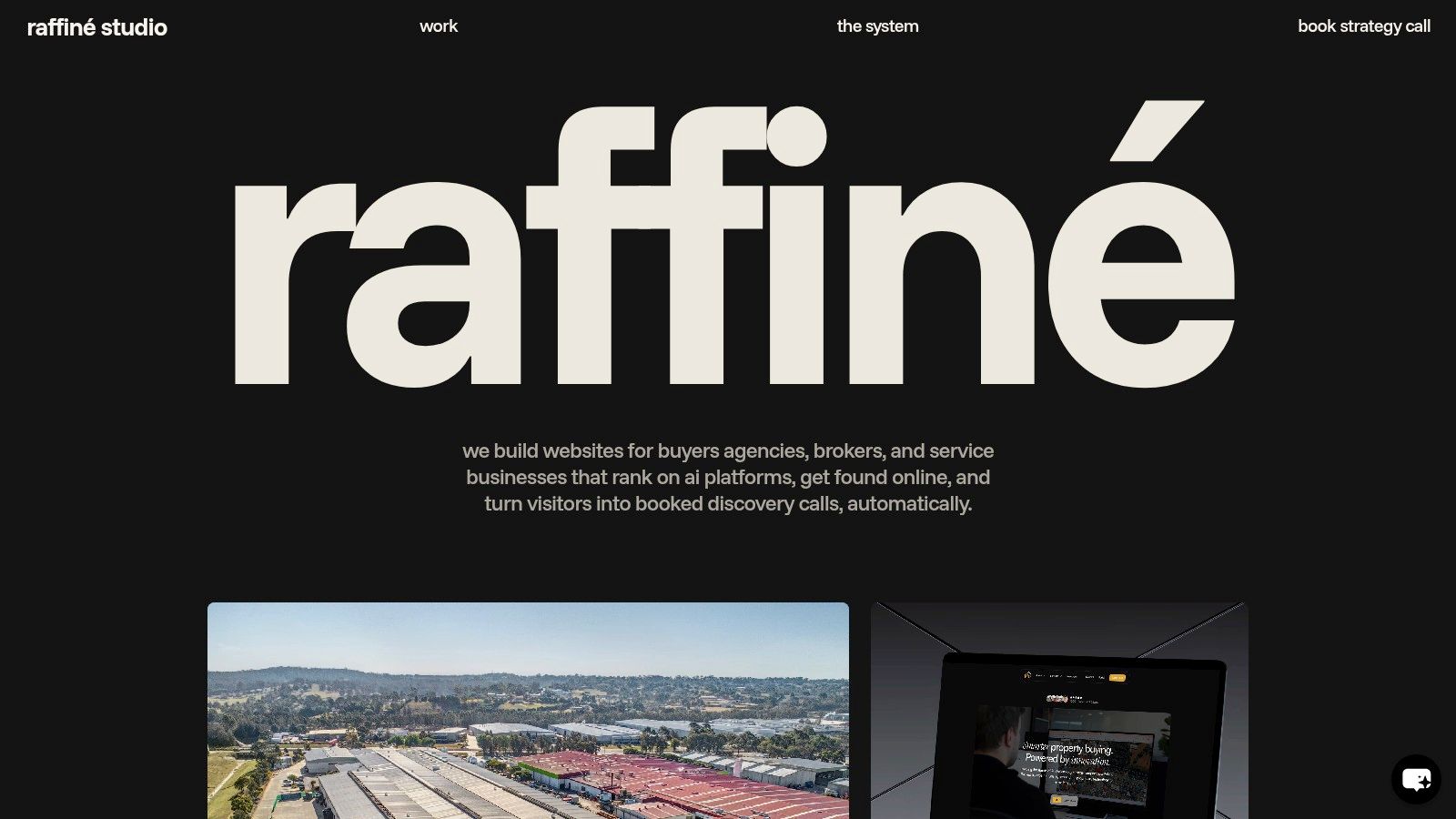
The site's information architecture changes too. A structured services page explains what's offered, the About page builds trust, and the work page shows the right level of proof without turning into a museum. For an example of a curated project view, see Raffine Studio's work page.
Why the cleaner version books better
The main reason isn't mystery. The visitor doesn't have to interpret the business before taking action. They understand the offer, they see proof, and they know how to enquire.
That's also where the visual system matters most. The typography, spacing, and imagery still need to feel like the same brand, but they're there to support the journey rather than distract from it. A polished site that still hides the next step is a branding exercise. A simple site that makes enquiry easy is a sales asset.
Launch Checklist and Where Designer Sites Are Heading Next
A site is ready when the basics are working. Contrast needs to be checked, mobile and desktop views need review, forms need testing, SEO fields need filling, booking flows need end-to-end checks, and analytics need to record the right events.
Tillerdigital's guidance recommends a minimum contrast ratio of 4.5:1 for normal text and 4:1 for large text, plus non-colour cues and alt text for every visual asset tillerdigital web best practices. That's a practical launch safeguard, especially on visually dense portfolio sites where readability can slip.
Area | Check | Why it matters |
|---|---|---|
Accessibility | Contrast, alt text, labels | Makes the site usable and easier to index |
Mobile layout | Hero, nav, CTA, forms | Keeps the enquiry path usable on small screens |
Search fields | Titles, descriptions, headings | Improves discoverability and clarity |
Booking flow | Confirmation and follow-up | Prevents lost enquiries |
Tracking | Analytics and CRM events | Shows what drives booked calls |
The next wave of designer sites will lean harder into AI-readable content, automated booking, and page systems that support short-form social traffic as well as search. The sites that win won't just look sharp, they'll move fast from scroll to action. That's where design is heading, and it's where the smartest studios are already building.
If you want a website that does more than showcase work, Raffine Studio builds conversion-focused sites, funnel systems, and booking flows for service businesses that need qualified enquiries. Visit Raffine Studio if you want a site that's designed to be read by Google, understood by AI assistants, and built to turn mobile traffic into booked calls.