website redesign process, conversion redesign, site audit, web redesign checklist, post-launch SEO
Website Redesign Process: A Lead-Generation Playbook
by raffiné studio

A new website can look sharper, load faster and still produce fewer enquiries. That's the uncomfortable reality many Australian accounting, legal, finance and property businesses discover after a redesign. The problem usually isn't the colour palette. It's that the project changed the interface without protecting the commercial path from search visit to qualified conversation.
Australian businesses most often redesign because the existing site is underperforming. One industry summary reports that 61.5% of redesign projects begin with poor user experience, while 68% of small to medium businesses identify low conversion rates as the main reason for seeking professional help (Australian website redesign data). That makes the right question straightforward:
Will the new website generate more qualified discovery calls, or will it merely look newer?
The website redesign process should be organised around that answer. Visual design matters, but it follows diagnosis, conversion architecture, search migration and measurement. The finish line arrives after launch, when actual visitors reveal whether the rebuild preserved visibility and improved the enquiry path.
Why Most Redesigns Lose Enquiries Before They Even Launch
The most common commercial trigger for an Australian service-business redesign is low conversion, not visual embarrassment. A separate Australian decision-maker summary reports that 80.8% cite low conversion rate as a redesign reason, while 61.5% point to the need for better user experience (Australian redesign decision-maker data).
Yet many projects are still briefed as visual exercises. An accounting firm replaces dated pages with a polished interface, a law firm adopts a more premium brand system, or a buyers agency commissions new photography. Everyone approves the mock-ups. Nobody defines which enquiry the site must increase or how that enquiry will be compared with the old site.
That creates three predictable failures:
The brief prioritises appearance: Stakeholders discuss colours, animations and page layouts before identifying the pages and actions that already create commercial value.
The conversion path stays unmapped: A visitor may move from an organic service page to an about page, then to a generic contact form, with no deliberate route towards a qualified discovery call.
SEO ends at launch: The team checks whether the homepage loads, then discovers later that important URLs changed, redirects were missed and rankings or enquiry paths weakened.
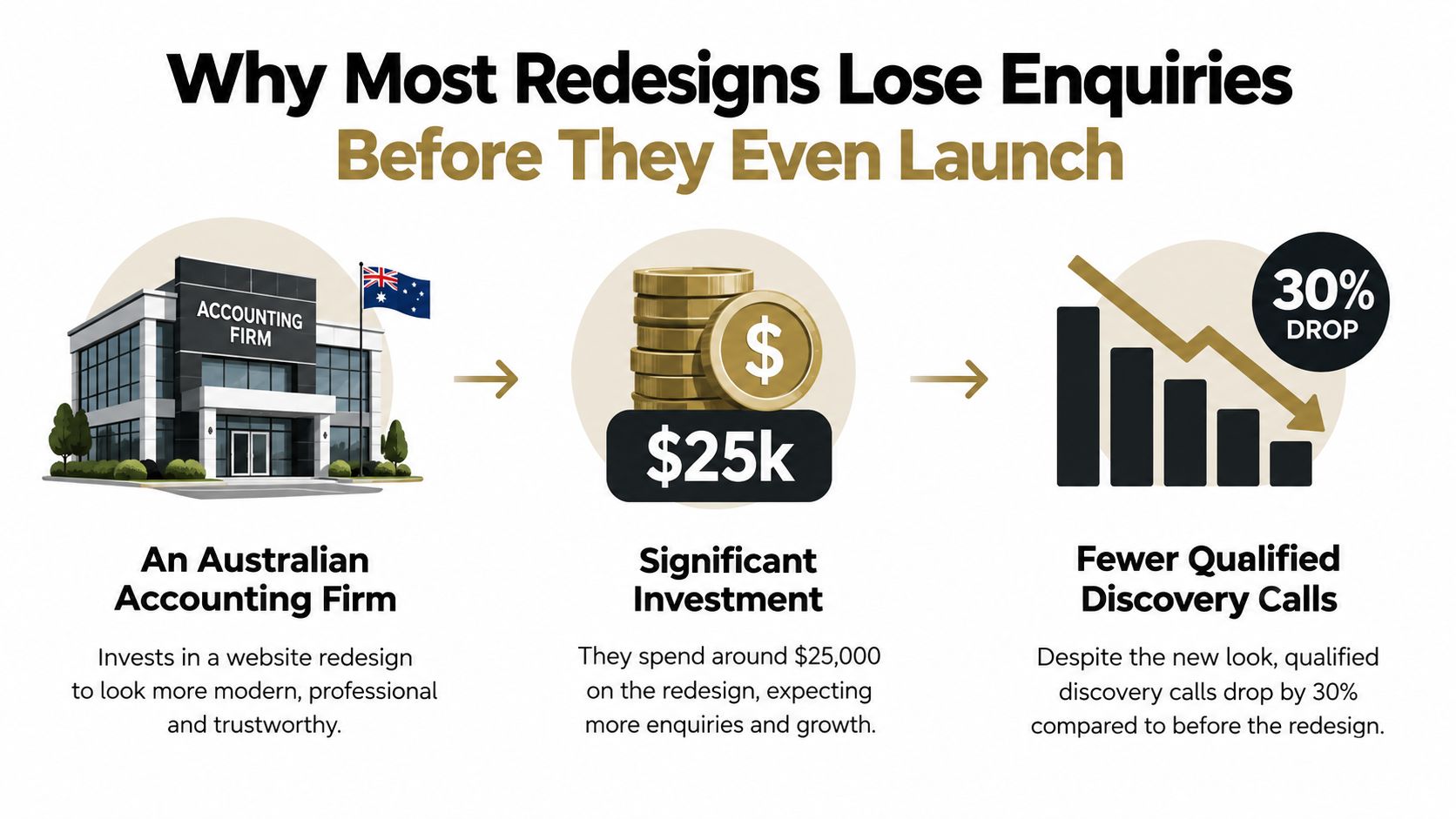
Commercial rule: A redesign isn't successful because the new site receives compliments. It's successful when qualified enquiry volume and pipeline quality hold up or improve after migration.
For service businesses, that north-star metric should be agreed before design starts. It might be qualified discovery calls, booked consultations or completed quote requests, but the team must choose one primary event. Secondary actions, such as newsletter subscriptions or brochure downloads, can support the journey without competing with its main destination.
This standard changes every decision that follows. The diagnostic phase identifies which pages attract valuable visitors. Information architecture makes the next step obvious. Testing exposes hesitation before development. Migration planning protects search demand. The first 90 days then determine whether the rebuild earned its place in the growth plan.
The Diagnostic Phase That Sets the Rebuild Up to Win
A useful diagnostic isn't a collection of screenshots and analytics exports. It's a sequence of decisions about what the new site should preserve, improve, combine or remove.
Start with evidence, not opinions
Use GA4 to identify acquisition sources, landing pages, engaged journeys and recorded conversion events. Use Google Search Console to see which URLs attract impressions and clicks, which queries lead visitors to the site, and whether high-value service pages are discoverable. The purpose isn't to admire the dashboard. It's to determine where traffic becomes an enquiry and where visitors lose momentum.
Then review the top 20 pages by business value, rather than the pages with the most visits. A service page with modest traffic but strong lead intent may deserve more attention than a popular article that rarely creates a commercial action. Mark each page as keep, merge, rewrite, expand or retire.
The content audit should also separate evergreen assets from content that has decayed. Evergreen pages can provide a structural and internal-linking foundation. Decaying pages may need refreshed evidence, sharper intent alignment or removal if they attract the wrong audience.
Audit the technical liabilities
The technical review should cover crawl errors, indexation, Core Web Vitals, broken internal links, canonical signals and existing redirect debt. Accessibility belongs here too. Australian guidance increasingly treats WCAG 2.2 Level AA as the benchmark for mainstream organisations, with emphasis on heading structure, descriptive links, keyboard operation and alternative text (Australian accessibility guidance).
Each finding must lead to a decision. A slow template may need rebuilding. Duplicate service pages may need consolidation. A valuable URL with weak copy may need investment rather than replacement.
Audit activity | Tool or source | Decision it unlocks |
|---|---|---|
Conversion and journey review | GA4 and CRM data | Which paths and pages deserve protection |
Search visibility review | Google Search Console | Which URLs and queries must survive migration |
Page-value review | Analytics, CRM and sales feedback | What to keep, merge, rewrite or retire |
Content quality review | Content inventory and editorial review | Which assets are evergreen, decaying or misaligned |
Technical review | Crawl tools, PageSpeed Insights and browser testing | Which templates need technical remediation |
Accessibility review | WCAG 2.2 Level AA checks | Which navigation, content and form changes are mandatory |
The synthesis is the important part. Turn the evidence into a redesign brief containing the primary conversion event, priority page list, required redirects, accessibility requirements, measurement plan and acceptance criteria. A clear funnel-building framework can help connect those pages to the sales journey instead of treating the sitemap as a filing cabinet.
Picking the Conversion Goal and Information Architecture
A website can't be measured properly against five competing definitions of success. Choose the action that best represents a commercially useful handover to sales.
Select the event with the strongest commercial signal
For a professional services firm, qualified discovery calls may be the best north-star because the action starts a real sales conversation. A mortgage broker may prefer a booked consultation if the initial qualification happens during scheduling. A construction company may prioritise a completed quote request when project scope and location are essential before contact.
Assess each candidate against four criteria:
Commercial proximity: Does the action indicate genuine buying intent?
Qualification quality: Can the sales team distinguish a suitable prospect from a casual enquiry?
Tracking reliability: Can the event be recorded consistently across forms, calls and booking tools?
Operational readiness: Can someone respond quickly and appropriately after the action?

Once the goal is fixed, reverse-engineer the information architecture from it. Primary service pages should explain the offer and qualify the visitor. Proof assets, such as relevant work, credentials or process details, should answer trust questions. Objection-handling content should address cost, suitability, timing, risk and what happens after an enquiry.
Give every page one job
Use a strict hierarchy:
One promise per page: The visitor should understand the specific problem the page addresses.
One offer per scroll depth: Don't present a service, downloadable guide, newsletter and unrelated promotion with equal visual weight.
One CTA per intent: Match the action to the visitor's readiness. A high-intent service page can ask for a call, while an early-stage article may guide readers towards a relevant service explanation.
The homepage then becomes a routing page, not a dumping ground. It should direct different audiences into clear service and proof paths. A buyers agency may need separate routes for sellers, investors and buyers. A law firm may need practice-area navigation that helps visitors identify fit before requesting contact.
Stakeholders will try to add every priority to the main navigation. Resist that dilution. The conversion-focused website design principles should act as a contract between strategy, copy, design and development. If a proposed page or CTA doesn't support the primary journey, place it lower in the hierarchy or remove it.
Designing, Prototyping, and Testing the New Experience
Design should validate the conversion path, not decorate an untested sitemap. Treat wireframing, prototyping and user testing as one loop, with each round reducing uncertainty before development begins.
Prototype the moments that matter
Start with low-fidelity wireframes for the homepage, primary service page and contact or booking page. Show the promise, evidence, objections, form or booking action and next step without brand polish. This makes structural problems visible before stakeholders become attached to imagery, typography or motion.
The first test should use the selected conversion path. Ask users to arrive from a Google result or advertisement, explain what the business offers, decide whether it suits them and submit an enquiry. Watch for hesitation, misread offers, buried proof and confusing fields. A five-user hallway test is enough to expose repeated comprehension problems before the visual system is locked.

Unmoderated testing can extend the evidence. Record the click path from a search landing page through to form completion, then classify each issue:
Copy problem: The visitor doesn't understand the offer or outcome.
Layout problem: The correct information is present but poorly prioritised.
Trust problem: The visitor needs proof, process clarity or reassurance.
Interaction problem: The form, menu or booking flow creates friction.
The output should be a list of specific fixes, not a general statement that users “liked” or “disliked” the design. Change the headline, move the proof, reduce fields, clarify the booking promise or remove a competing CTA.
Testing rule: Lock navigation, primary CTAs, form fields and page hierarchy before development starts. Developers should build the validated experience, not reinterpret it.
A late structural change is expensive because it affects content, responsive layouts, tracking and development logic. The exact cost will vary by project, but the direction is consistent. Fix uncertainty in the prototype, where changing a block is simple, rather than after templates and integrations are already built.
The same principle applies to accessibility. Check heading order, focus states, colour contrast, link descriptions, keyboard operation and form labels while components are still flexible. A beautiful design that excludes people or makes the enquiry path difficult is a commercial failure.
The design sequence is easier to understand when you see it in motion:
Build, Pre-Launch QA, and Migration Planning
A redesign can look finished while qualified discovery calls slip away unnoticed. Build the approved experience as a controlled system, then use pre-launch checks to protect rankings, enquiry volume and follow-up speed.
Protect every valuable URL
Complete the redirect map before code is merged. Give every current URL one clear outcome:
One-to-one redirect: The old page has a direct new equivalent.
Consolidated redirect: Several related URLs move to one stronger replacement.
Deliberate 404: The content is retired and no relevant replacement exists.
Test old URLs, destination URLs, page titles, canonical tags, internal links and XML sitemaps. Keep redirect chains out of the release. Australian redesign guidance warns that losing high-performing pages, overlooking technical SEO or mishandling redirects can erase the commercial benefit of a better-looking site (Australian redesign mistakes).
Test the commercial machinery
A form that appears to submit may still fail between the browser and the sales team. On staging, test GA4 events, CRM handoff, call tracking, booking confirmations and notification emails. Send real test enquiries, then confirm that the inbox receives the right details, the CRM creates the correct record and the follow-up workflow starts.
Response speed belongs in QA because the redesign is meant to generate qualified discovery calls, not just completed forms. One inbound-lead research summary reports that companies contacting leads within an hour were 7 times more likely to qualify them than companies waiting two hours, and 60 times more likely than companies waiting 24 hours (lead response research summary). Australian summaries also report average small-business response times of around 47 hours. Connect capture to an owner, routing rule and response process rather than stopping at the form.
Set an operational target before launch. Australian guidance recommends under five minutes for hot inbound leads, with phone and live chat ideally under three minutes and email under 30 minutes (Australian lead-response benchmarks).
Run a WCAG 2.2 AA review on key templates, test mobile performance on throttled 4G and validate service, FAQ and organisation schema. Agree the staging freeze, DNS cutover window and rollback trigger. If enquiry submissions fall by more than 20% in week one, follow the pre-agreed recovery plan immediately, then monitor redirects, rankings and qualified calls through the post-launch 90 days.
The Post-Launch 90 Days Where Redesigns Actually Win or Fail
Launch day proves that the site can go live. It doesn't prove that the redesign worked.
The first 90 days should be treated as three review windows with separate decisions. Australian redesign checklists increasingly recommend redirect mapping, Search Console monitoring, ranking checks within 30 days and 30/60/90-day analytics reviews (Australian website redesign checklist).
Days 1 to 30 protect discovery
Check crawl health, indexation of priority URLs, redirect destinations and redirect chains under three hops. Compare qualified discovery calls with the pre-rebuild baseline captured during diagnosis. Investigate any unexplained change by source, landing page, device and form or booking route.
Don't rely on total traffic. A redesign can retain visits while losing commercially valuable search landings. Review the pages that previously introduced qualified prospects and confirm that their replacements remain visible, relevant and connected to the primary CTA.

Days 31 to 60 test the new journey
At this point, compare assisted conversions, form-completion rate and bounce on the new service pages with the diagnostic benchmarks. Look for practical signals:
Assisted conversions: Which pages influence a later enquiry even when they aren't the final landing page?
Form completion: Do visitors begin the form but abandon at a particular field?
Service-page behaviour: Do visitors reach proof, process and CTA sections, or leave after the opening claim?
Lead quality: Are enquiries closer to the business's target profile?
Page-level iteration earns its place here. Rewrite an unclear opening, simplify a form, strengthen evidence or adjust internal links based on observed behaviour. Don't commission another full redesign because one service page underperforms.
Days 61 to 90 judge the commercial result
By day 90, leadership should decide whether the rebuild improved enquiry volume and pipeline value relative to its purpose. If attribution is trustworthy, document which channels and pages contributed to qualified conversations. If measurement is weak, record that as a project failure and fix it before drawing conclusions.
The review should produce an iteration backlog, not a victory slide. Prioritise changes by commercial impact, confidence and implementation effort. Resist the temptation to restart the visual project before the first rebuild has been measured.
The contrarian view: The redesign isn't finished when the agency hands over the site. It's finished when the business has enough post-launch evidence to decide what deserves investment next.
A practical conversion benchmark can help frame the discussion. Australian small-business websites commonly convert between 2% and 5%, while service businesses often reach 3% to 7%, according to an Australian benchmark summary (Australian website conversion benchmarks). Treat those ranges as context, not a guarantee. Your own qualified enquiry baseline, lead quality and sales capacity matter more than a generic comparison.
A Self-Assessment Checklist Before You Brief a Studio
A serious website redesign brief should prove that the business is ready to measure change. If the inputs are unreliable, a new interface won't tell you whether performance improved.
Test the commercial foundations
Score each answer carefully:
North-star metric: Can the leadership team name one primary enquiry action, such as a qualified discovery call, booked consultation or completed quote request?
Measurement quality: Do GA4, Search Console, call tracking and CRM records provide a trustworthy picture of current performance?
Page-level evidence: Do you know which pages attract valuable visitors, assist enquiries and create poor-fit leads?
Sales ownership: Does someone own form responses, booked calls, missed-call follow-up and CRM records?
Migration ownership: Is one person accountable for URL mapping, redirects, indexation checks and post-launch Search Console monitoring?
Content decisions: Can the team identify which claims, services, proof assets and objections the new site must communicate?
Accessibility responsibility: Has someone agreed to review WCAG 2.2 Level AA requirements across navigation, content and forms?
Ninety-day commitment: Has leadership reserved time to review the site at days 30, 60 and 90 rather than treating launch as completion?
A “no” doesn't mean the redesign must stop. It tells you what to fix first. If tracking is broken, repair measurement. If the sales team responds slowly, connect the form to a CRM and follow-up workflow. If nobody can choose a primary conversion event, resolve that leadership decision before asking a studio to design pages.
Decide whether you need a refresh or a rebuild
A refresh may be enough when the existing structure still supports discovery, the URLs remain useful and the conversion path is sound. A redesign is justified when the navigation, messaging, templates, search architecture or lead journey no longer reflect how buyers evaluate the service.
The commercial test is simple. Can the current site make the offer clear, guide the right visitor to a useful action and provide reliable evidence about what happens next? If not, cosmetic changes will only disguise the underlying problem.
Raffine Studio offers conversion-focused website redesign, funnel architecture, SEO and AI search visibility, with analytics, booking and CRM handoff included where the project requires it. Visit Raffine Studio to review a redesign approach built around qualified discovery calls, protected search visibility and measurable post-launch improvement.